Set up through Slack or a Webhook to receive notifications when vulnerabilities of a set severity appear.
On Security RX page, select Manage security notifications

Set up a Slack alert
- Select Add a Slack.
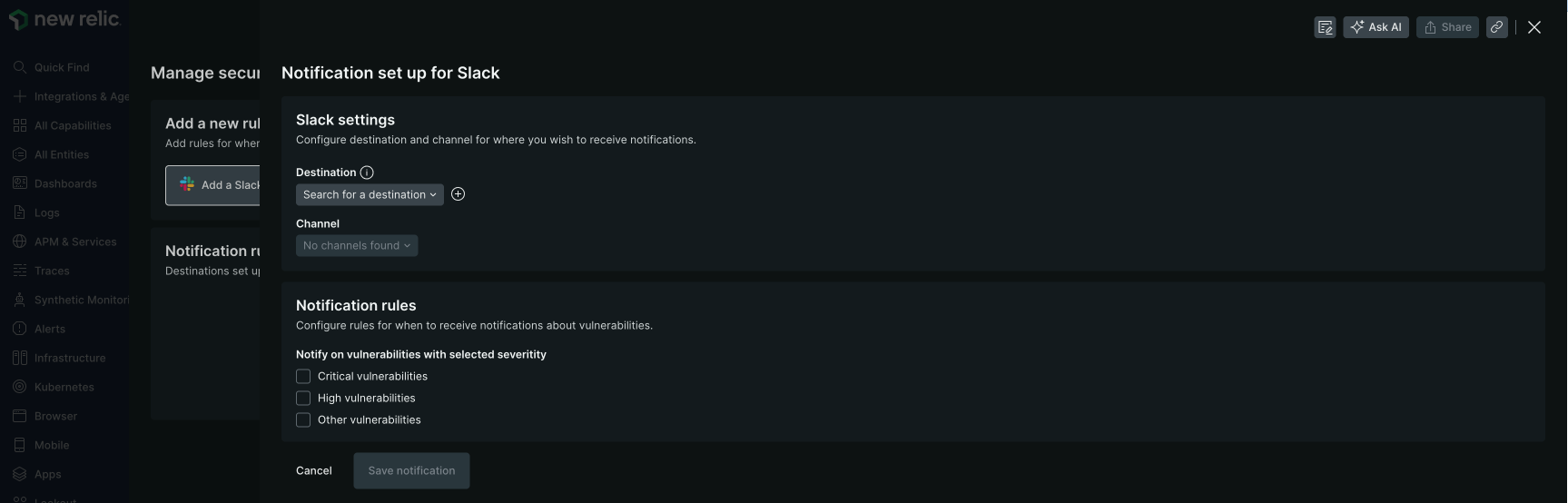
- Under Slack settings, select a destination or create one by clicking .
- Under Slack settings, select a channel to send your notifications to.
- Under Notification rules, configure rules to receive notifications for vulnerabilities of different severity levels.
Set up a webhook alert
- Select Add a Webhook.
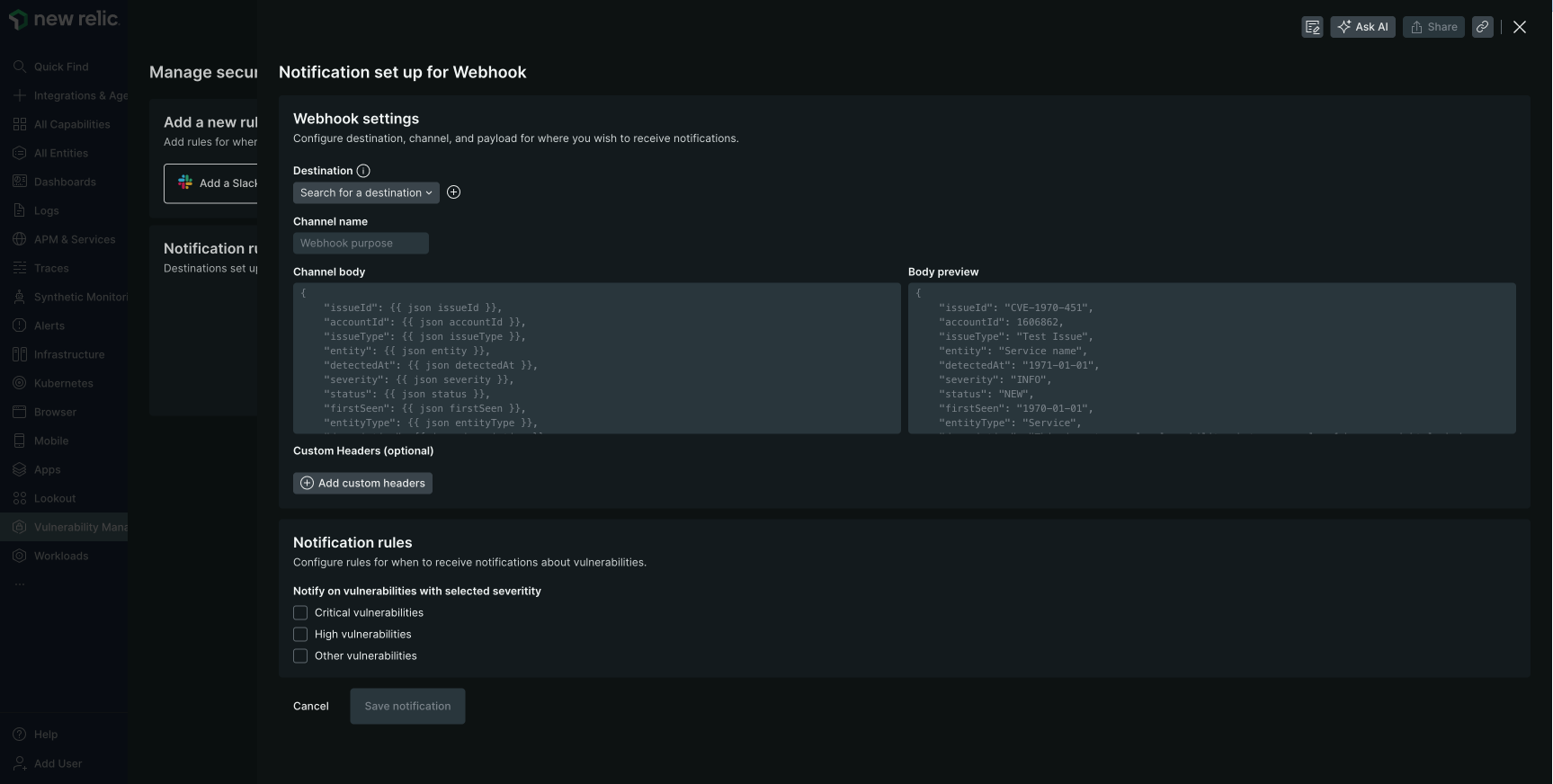
- Under Webhook settings, select a destination or create one by clicking . Learn more about creating a webhook destination here.
- Under Webhook settings, create a channel name.
- Under Notification rules, configure rules to receive notifications for vulnerabilities of different severity levels.
What's next?
Manage vulnerability status
Change vulnerability status based on alerts received
Query security data
Build custom NRQL alerts for specific vulnerability patterns
Understand prioritization
Learn how alert severity aligns with vulnerability priority
Applications overview
Monitor application vulnerabilities with your new alerts